

Real-time previewer
Test your app live as you build
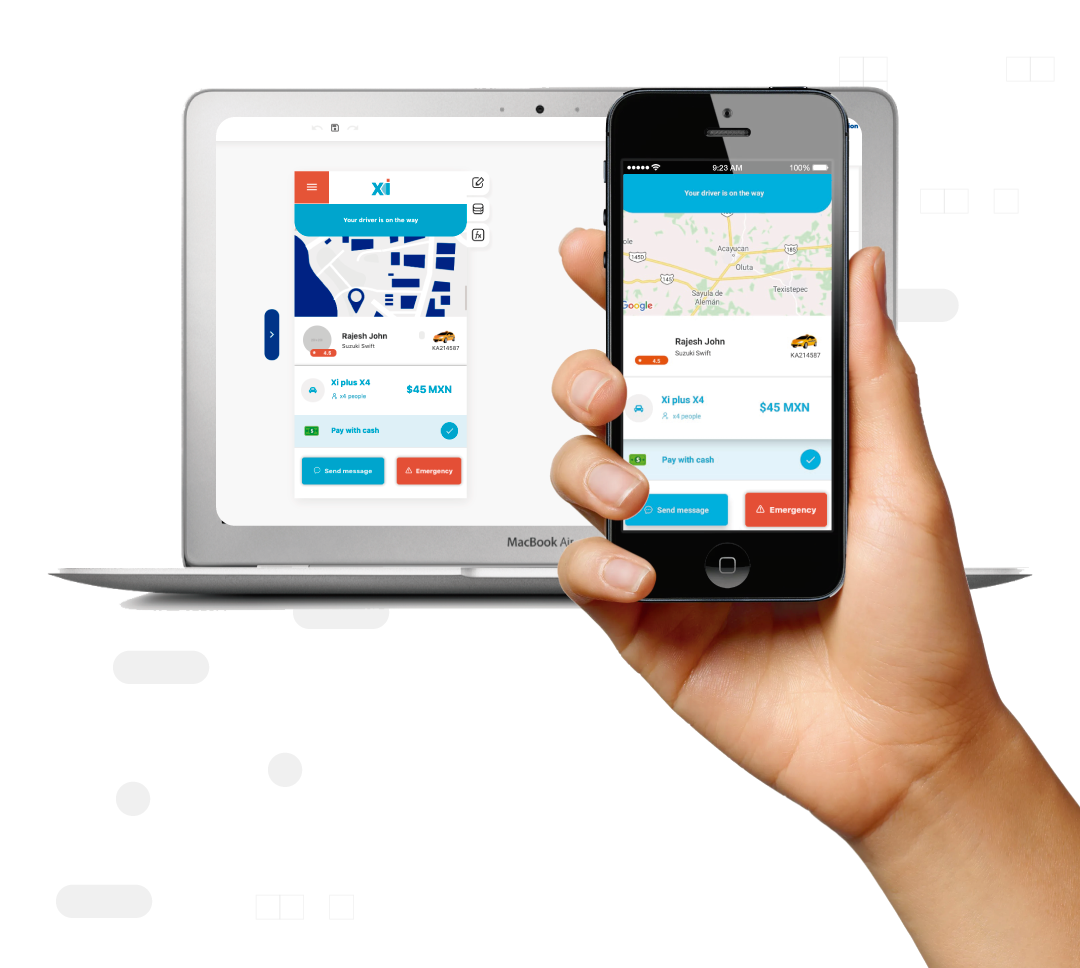
The real-time previewer lets you open your app on your own phone and watch it run while you edit it. Every change shows up instantly, so you test real screens, data and flows without having to compile or publish.

01 — How it works
Add real-time previewer in minutes
- 01
Open the previewer on your phone
Install the Apphive previewer app on your phone and sign in with your account to load your project.
- 02
Edit in the builder
Make changes in the visual editor: add screens, move elements or tweak your app's logic.
- 03
See the changes instantly
Your phone reflects every change in real time so you can test the full flow; when you're happy, move on to publishing.
02 — Use cases
Where it shines
03 — FAQ
Frequently asked questions
Do I need to publish the app to test it?+
No. The previewer runs your project directly on your phone while you edit it, so you test everything before compiling or publishing to the stores.
Does it work on iPhone and Android?+
Yes. You can preview your app on iOS and Android devices to see how it behaves on each platform before launch.
How fast do changes appear?+
Changes appear almost instantly. You edit in the builder and your phone updates in real time, with no compile wait.
04 — Related
Explore related features


Build it with real-time previewer.
Drag it into your app and publish — free, no code, with AI on your side.